Read summarized version with
Every software company has a version of the same problem. You built something capable. People sign up, poke at it for ten minutes, and never come back. Or they stay, but use a fraction of what you built, while your support inbox fills with the same handful of questions week after week.
The usual answers are documentation, onboarding tours, and a support team. All three share a flaw. They sit outside the moment where the user actually gets stuck.
UniGuide takes a different approach. It is an AI product expert that lives inside your product, understands what the user is trying to do right now, and either answers or does it for them.
Three places software quietly loses money
Before the technology, the business case. Products lose value in three predictable places.
- Users never reach first value. They sign up, cannot work out the first real task, and churn before they see what the product does well.
- Support carries the education load. A large share of first line tickets are not bugs. They are “how do I” questions that a well trained colleague could answer in fifteen seconds.
- The product team is flying blind. Users tell you every day what they are struggling with and what they wish existed. That signal arrives as scattered tickets, or not at all.
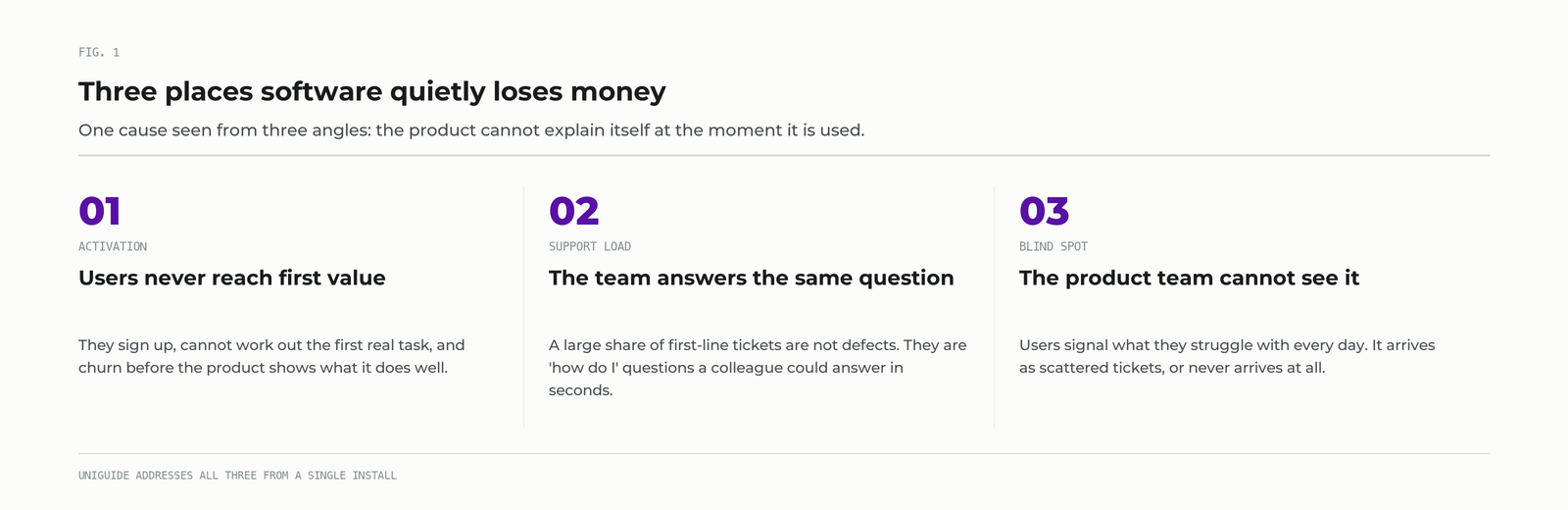
These are usually treated as three separate problems owned by three separate teams. They are the same problem seen from three angles: the product cannot explain itself at the moment it is being used.
What UniGuide is, and what it is not
UniGuide is not a support chatbot, and it is not a scripted product tour.
A chatbot answers questions. A product tour walks a new user through a fixed sequence and breaks the moment somebody asks something off-script, which happens constantly. UniGuide handles the unscripted moment, because it works from what the user is trying to accomplish rather than from the exact words they typed.
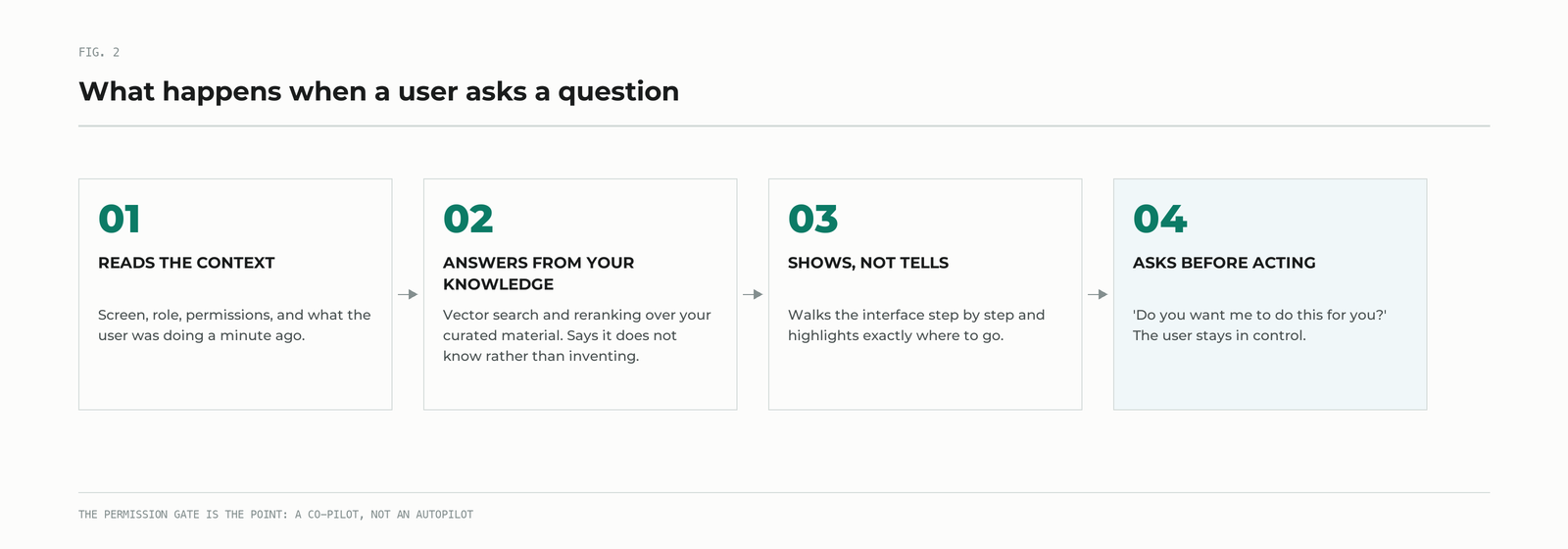
Here is what happens when a user asks something.
- It reads the context. Which screen they are on, what role they hold, what permissions they have, what they were doing a minute ago. The same question from a new analyst and from an administrator gets a different answer, because the right answer is different.
- It answers from your knowledge, not from the internet. Responses are grounded in your curated knowledge base through vector search and reranking. If the answer is not in your material, it says it does not know rather than inventing something plausible.
- It shows rather than tells. Instead of “click the button in the top right”, it walks the user through the interface step by step, highlighting exactly where to go.
- It offers to do it. “Do you want me to do this for you?” If the user says yes, UniGuide completes the task. If they say no, nothing happens. It is a co-pilot, not an autopilot, and the permission gate is the point.
Three engines under the hood
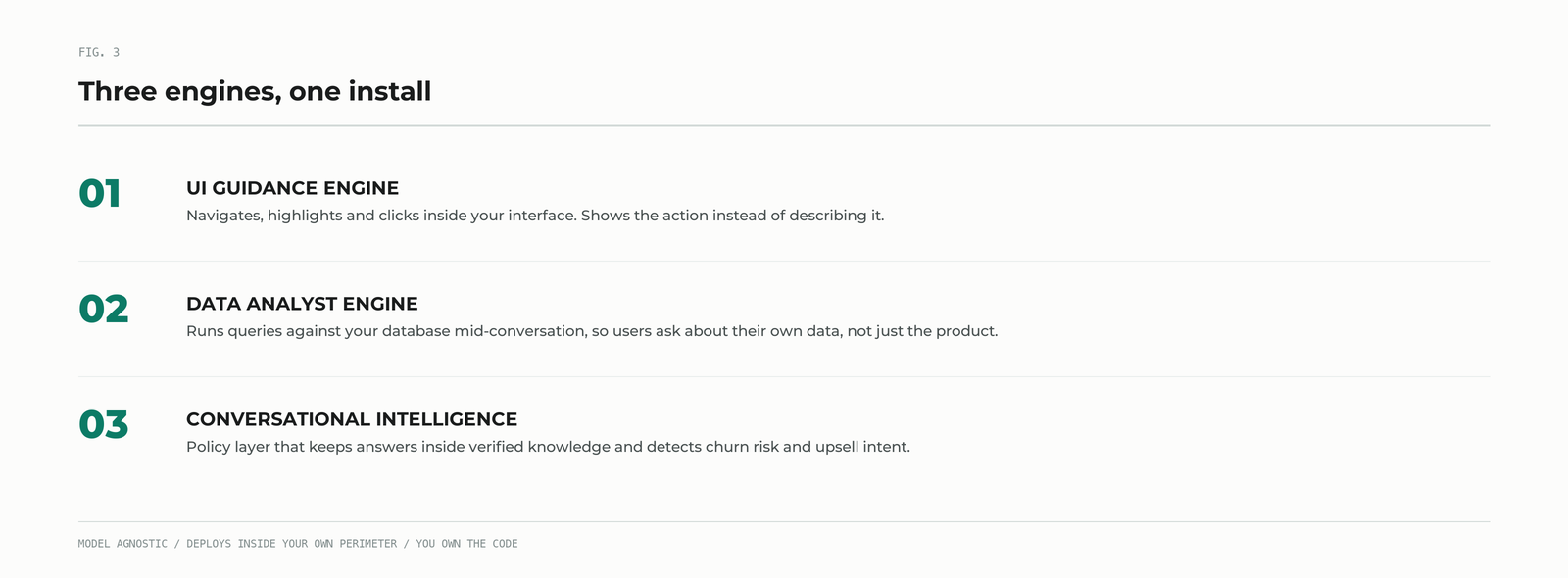
Technically, UniGuide is three components working together.
UI Guidance Engine
The AI interacts with your interface directly. It navigates, highlights, and clicks, showing actions step by step rather than describing them in prose.
Data Analyst Engine
UniGuide can run queries against your database in real time during a conversation. A user can ask about their own data, not only about how the product works, and get an answer in the same breath.
Conversational Intelligence
A policy layer governs how the assistant behaves, keeps it inside your verified knowledge, and watches conversations for the signals that matter commercially: a user drifting toward churn, a user ready to upgrade, a feature people keep asking for that does not exist yet.
Why it works for any product
This is the part people underestimate. UniGuide has no opinion about what your software does.
It does not need to be a project management tool, or a CRM, or a finance platform. It reads your interface, learns from your documentation, and follows the scenarios you configure. We have run it inside financial platforms and inside internal line of business tools that will never have a public sign up page. The pattern is the same wherever a product is powerful enough that people need help using it.
That includes the cases teams usually write off as too niche for a help system: the internal tool with forty users and no documentation budget, the compliance platform where a mistake is expensive, the analytics product where the hard part is not the interface but knowing which question to ask.
Integration is an SDK, roughly one line of code and about an hour of engineering time on your side. Closer to adding an analytics tag than to a platform migration.
Try it on AWS Marketplace
Reading about a guided experience is a poor substitute for using one, so we published a working demo rather than a slide deck.
UniGuide by Dedicatted on AWS Marketplace deploys into your own AWS account through a CloudFormation template. It provisions a sample project management application, the kind of tool everyone recognises, with a live UniGuide instance embedded in it.
We chose a Jira-like application deliberately. Almost everyone in software has felt the specific frustration of knowing what they want to accomplish and not knowing which of forty menu items gets them there. It is a fair test.
Five scenarios come preloaded, the kind of thing a brand new user tries on day one. Ask “how do I create a sprint” or “how do I add members” and watch what happens: UniGuide answers from the application own knowledge base, highlights where to click, and offers to complete the task for you. Say yes and it creates the issue, assigns the role, or walks the audit log itself.
The demo runs on Amazon ECS with AWS Fargate from a verified container image, deploys into an existing VPC or a new isolated one, terminates HTTPS at an Application Load Balancer with your own ACM certificate, and ships with Amazon CloudWatch enabled. It is stateless and uses least privilege IAM roles. No sales call required to get hands on.
Where the data lives
A fair question about any AI assistant embedded in a product: where does the conversation go?
UniGuide deploys inside your own perimeter, on AWS, Azure, or Google Cloud. Chat history and customer data stay in your account. The underlying model is not fixed, so the LLM can be chosen or swapped to match your cloud and compliance requirements. The widget is white label and matches your brand. And the code is yours: full IP ownership transfers to you.
What a pilot looks like
A typical pilot runs 4 weeks. It covers a joint workshop to identify the scenarios that matter, SDK integration, and configuration of twenty to thirty guided flows. Our team handles the AI training and the heavier integration work. Your team provides access and validates that the answers are right.
Across deployments we see activation lift of 5 to 15%, early churn drop by 10 to 25%, and support ticket volume fall by 30 to 50%. The range is wide because the starting point matters: products with steeper learning curves have more to gain.
Start with the demo
If any of the three problems at the top of this article sounded familiar, the fastest way to judge whether UniGuide helps is to use it. Deploy the demo, ask it something awkward, and see whether it handles the unscripted moment.
Then talk to us about your own product.


